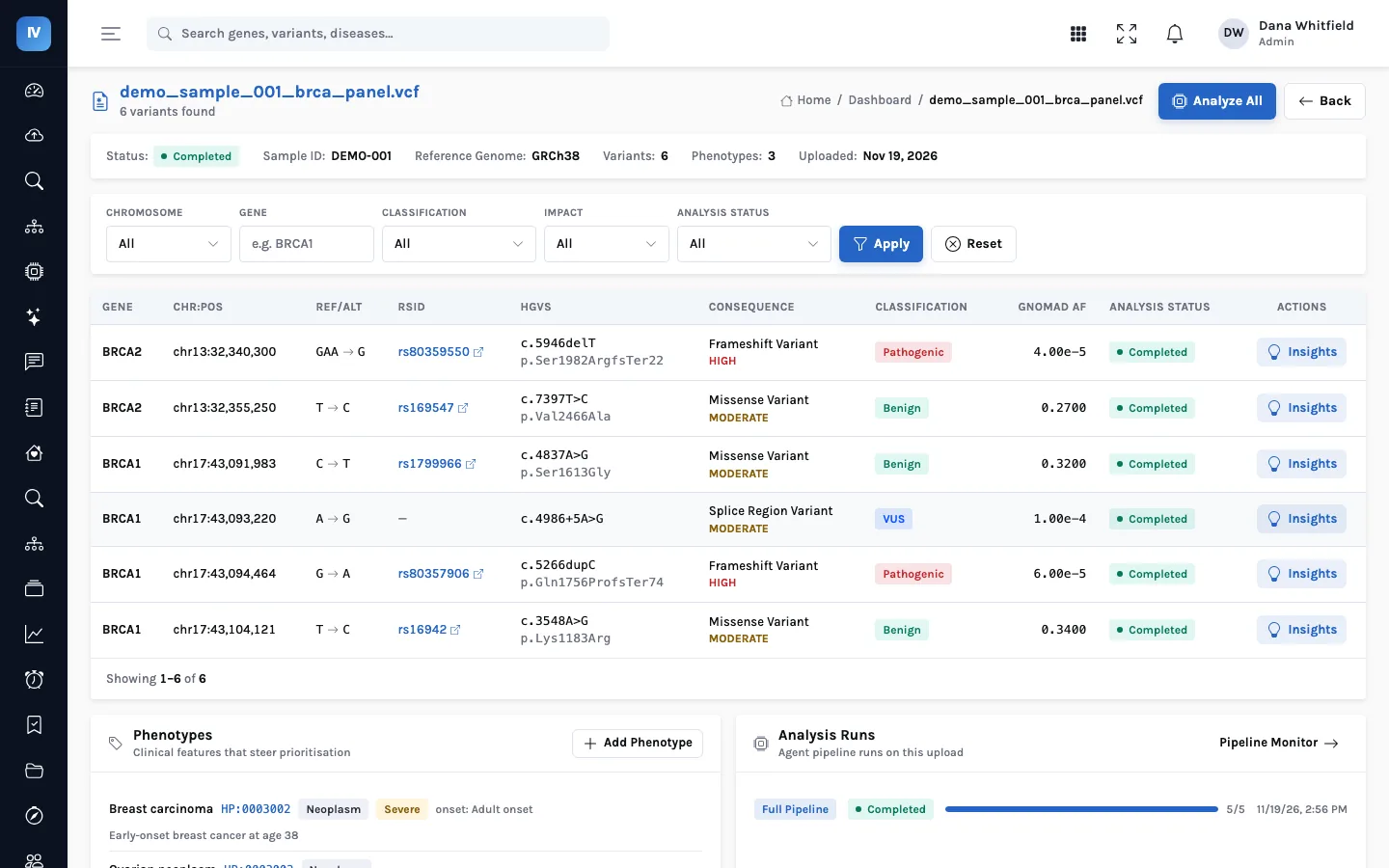
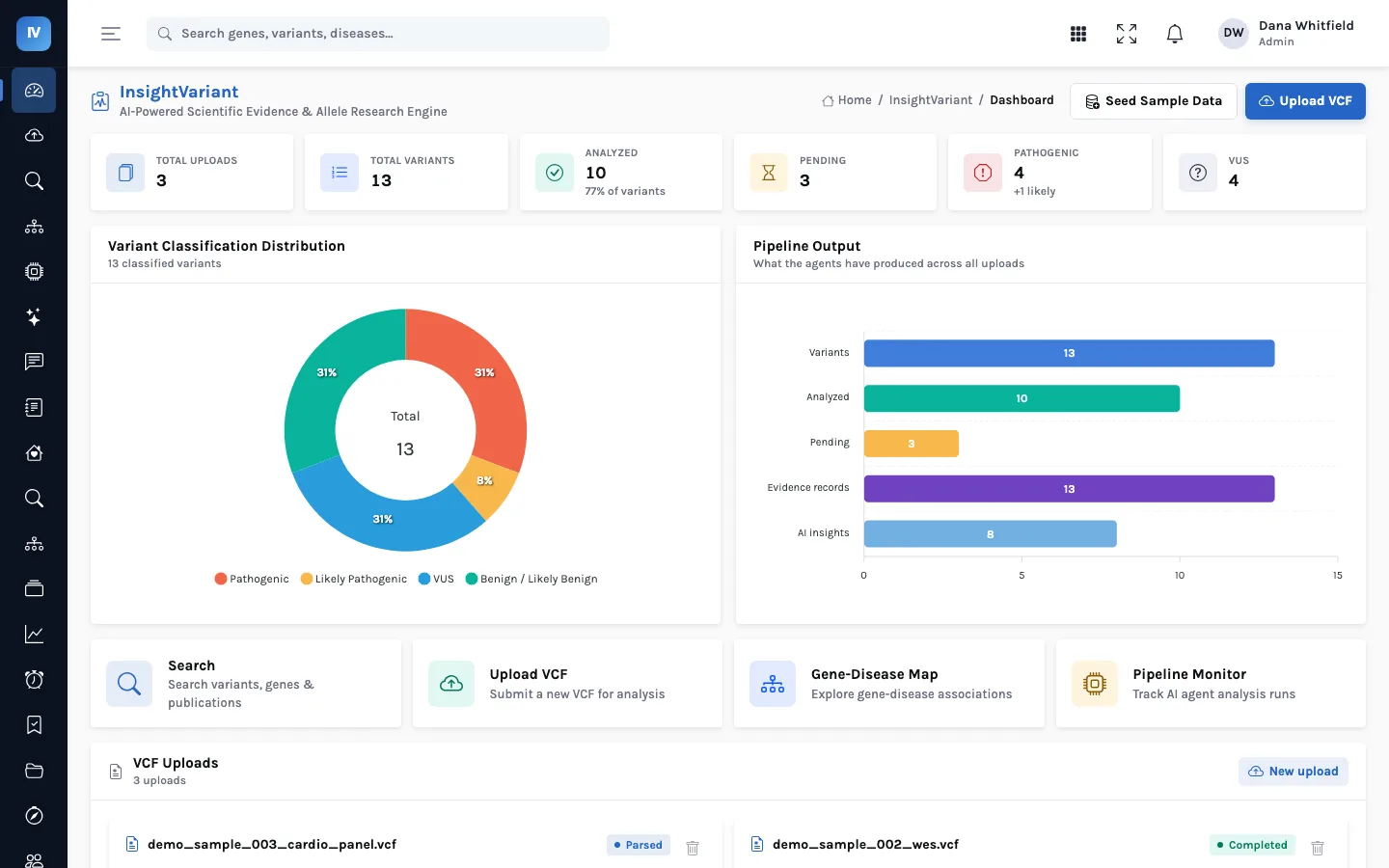
In InsightVariant a set of AI agents does the evidence gathering. They parse a sample's VCF, annotate each variant from the public databases, search the literature, apply the ACMG/AMP criteria and write ranked insights, while a supervisor coordinates the run. This article walks through each agent, what it records, and where people make the decisions.
In short
- Six agents: VCF Parser, Annotation, Literature, Evidence Synthesis, Report and a Genomic Analysis Supervisor, orchestrated by LangGraph as an explicit state graph.
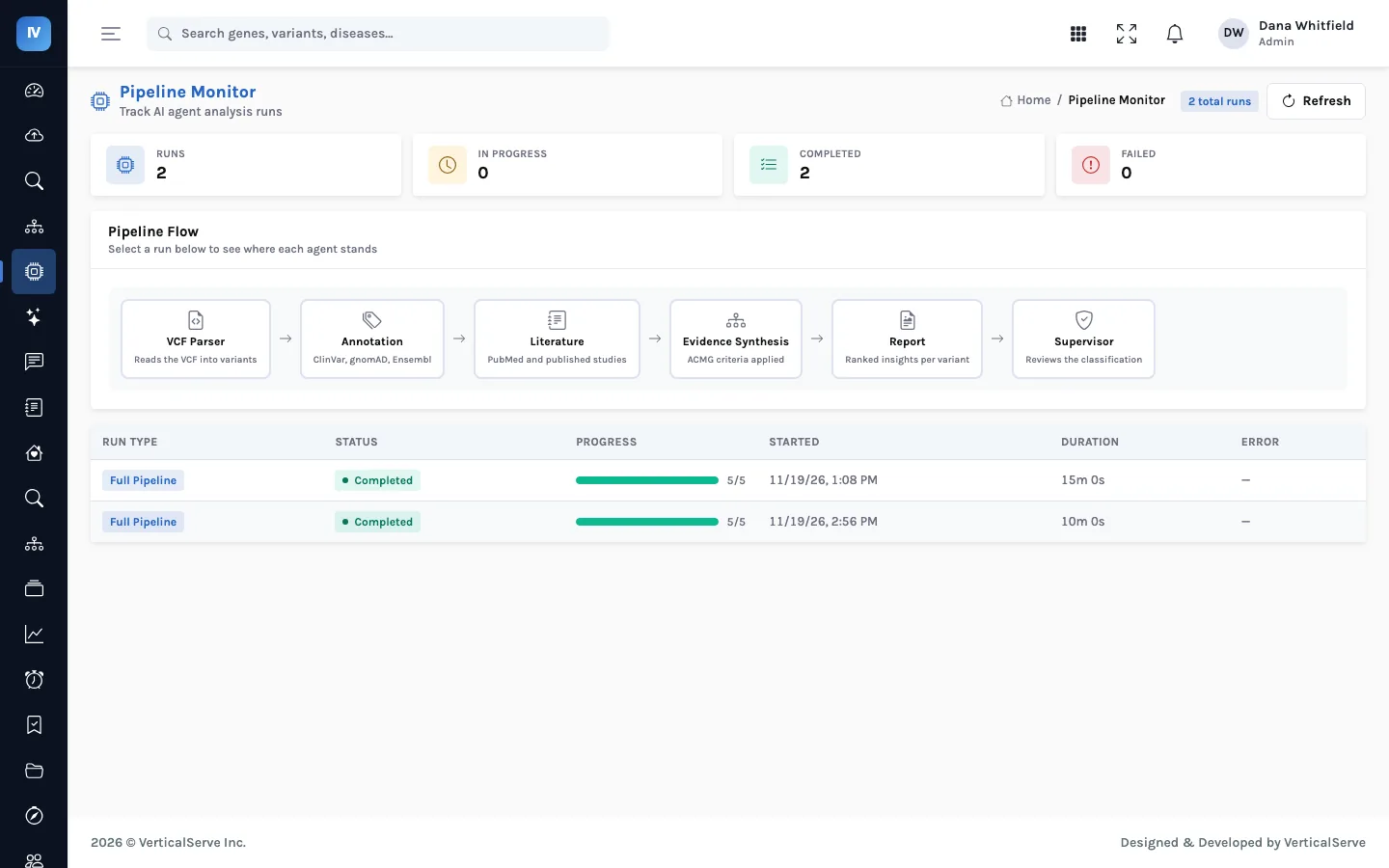
- Runs and steps are recorded with status, duration, tokens used and the model, and shown in the Pipeline Monitor.
- Two playbooks: genomic variant analysis and pharmacogenomics.
- People stay in charge: the pipeline proposes records and insights; reviewers decide.
How it fits together
The agents
- VCF Parser reads the file and normalises each variant to GRCh38: position, alleles, HGVS coding and protein notation, consequence and impact.
- Annotation queries the public databases for each variant: clinical significance from ClinVar, population frequencies from gnomAD, gene-disease entries from OMIM, consequences and in-silico predictions from Ensembl VEP, protein domains from UniProt.
- Literature searches PubMed and published studies for the variant and gene, and extracts study type, cohort size, effect size, p-value and the relevant excerpt.
- Evidence synthesis weighs the evidence against the ACMG/AMP criteria and suggests a classification with a confidence score.
- Report writes the ranked insight cards per variant, with citations.
- Supervisor coordinates the others: orders the steps, watches progress and errors, aggregates the results, and takes high-impact variants first.
Annotation and literature search run in parallel where possible, because neither depends on the other. Each agent has a bounded prompt and its own list of tools, and the graph's state carries the parsed variants, annotations, literature results and synthesis from step to step. State transitions are deterministic, a failed node is recovered on its own, and a run can be replayed on the same inputs.
| Agent | Tools it is given |
|---|---|
| VCF Parser | parse a VCF record, predict consequence |
| Annotation | query ClinVar, query gnomAD, query OMIM, predict consequence |
| Literature | search PubMed |
| Evidence Synthesis | query ClinVar, query gnomAD, search PubMed |
| Report, Supervisor | none: they work from what the others produced |
The Pipeline Monitor
The monitor shows counts of runs (in progress, completed, failed), the six-node pipeline flow, and a table of runs with type, status, progress, start time, duration and error. Selecting a run shows its steps as a timeline: each agent's status, duration, tokens used, model and timestamps. The page refreshes on demand, and on its own every ten seconds while a run is still going.
Starting a run
On an upload's page, Analyze All starts a full-pipeline run of five steps for every variant in the upload, marks the upload as analysing and each variant as running, and returns how many variants were queued. Progress shows on the upload's page and in the Pipeline Monitor; as each variant completes, its annotations, evidence records and insights appear in the Insight Explorer.
Two playbooks
| Playbook | Sections and the agent that owns each |
|---|---|
| Genomic variant analysis | VCF parsing and normalisation (VCF Parser) · database annotation (Annotation) · literature search (Literature) · evidence synthesis and classification (Evidence Synthesis) · insight report generation (Report) |
| Pharmacogenomics | PGx variant identification and star alleles (VCF Parser) · drug-gene interaction annotation from PharmGKB, CPIC and DPWG (Annotation) · metabolizer status and dosing recommendations (Evidence Synthesis) |
What makes the output checkable
Each annotation an agent writes carries its source and fetch time; each literature record points to a publication with its PMID and DOI and the excerpt relied on; each criterion an insight applies cites the records that support it; conflicting evidence and evidence gaps are named. A reviewer can check an agent's work the same way they would check a colleague's.
Design choices
- Every step recorded. Duration, tokens and model per step make a run auditable and its cost visible.
- Sources kept on every record. Annotations carry their source ID and fetch time; evidence carries its citation.
- A person decides. The supervisor checks quality, but an agent's output is not the final word. Classifications are reviewed by qualified people.
Questions teams ask
Which language model does it use?
The steps call a model through AWS Bedrock, and each step record has fields for the model and the tokens used, so whichever model is configured is visible per step.
How do we validate it on our own data?
Run it on a reference dataset with known classifications and compare the suggested classifications and cited evidence variant by variant. We scope that comparison with you.
Planning a pilot
The bioinformatics group at the fictional Lindqvist Lab tests the pipeline on a public reference dataset with known classifications. They compare the pipeline's suggested classifications and cited evidence against it variant by variant, and agree that nothing from the pilot is used outside research until the comparison is reviewed.
Research use only
Nothing in InsightVariant's pipeline is a diagnostic test or a substitute for a qualified laboratory's interpretation.
Research use only. InsightVariant does not provide clinical diagnoses or medical advice. The variants shown are well-known public variants (as listed in ClinVar) attached to fictional demo samples; literature records and insight text in the screenshots are fictional placeholders. Variant classification for patient care must be done by qualified professionals under applicable guidelines.