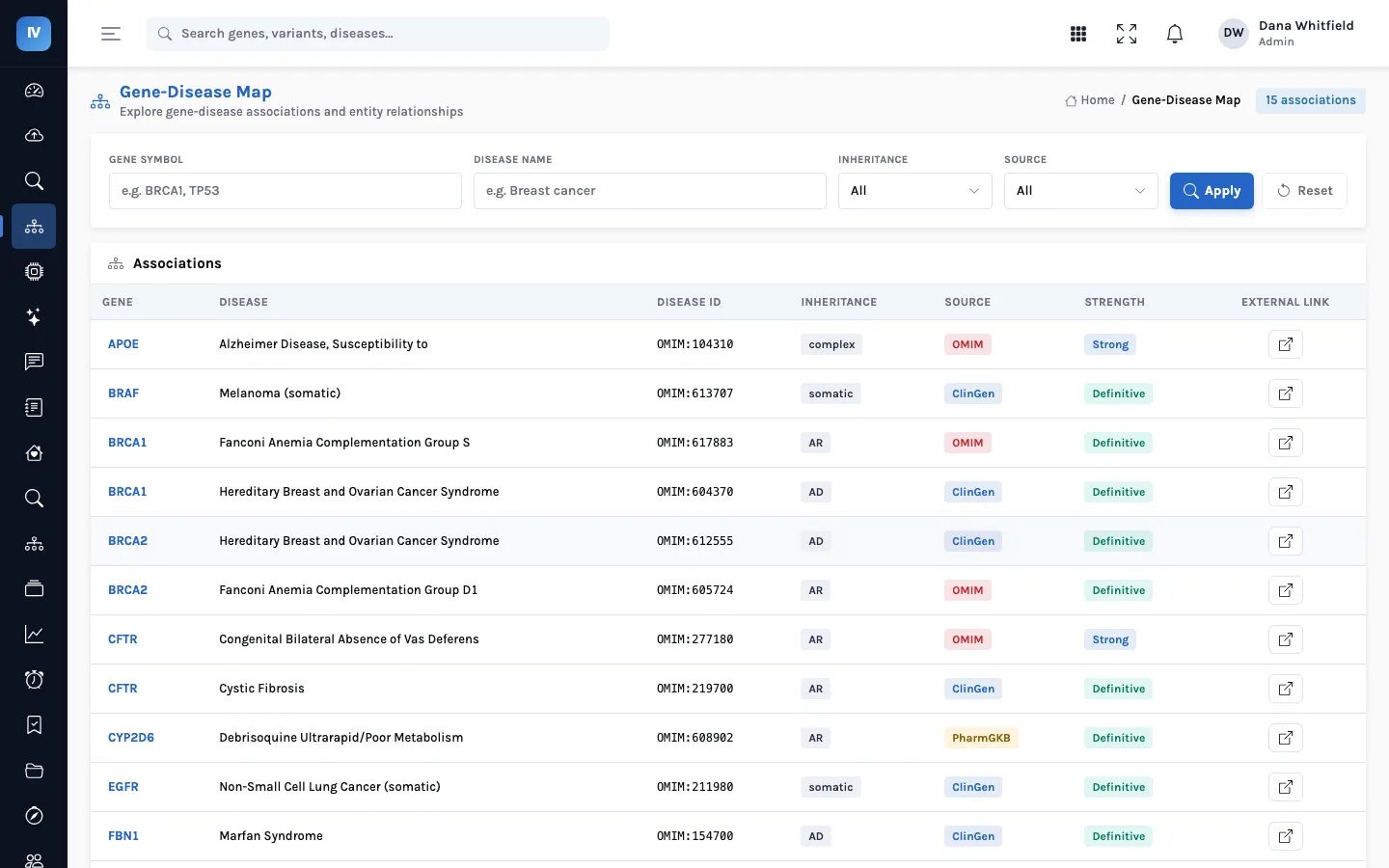
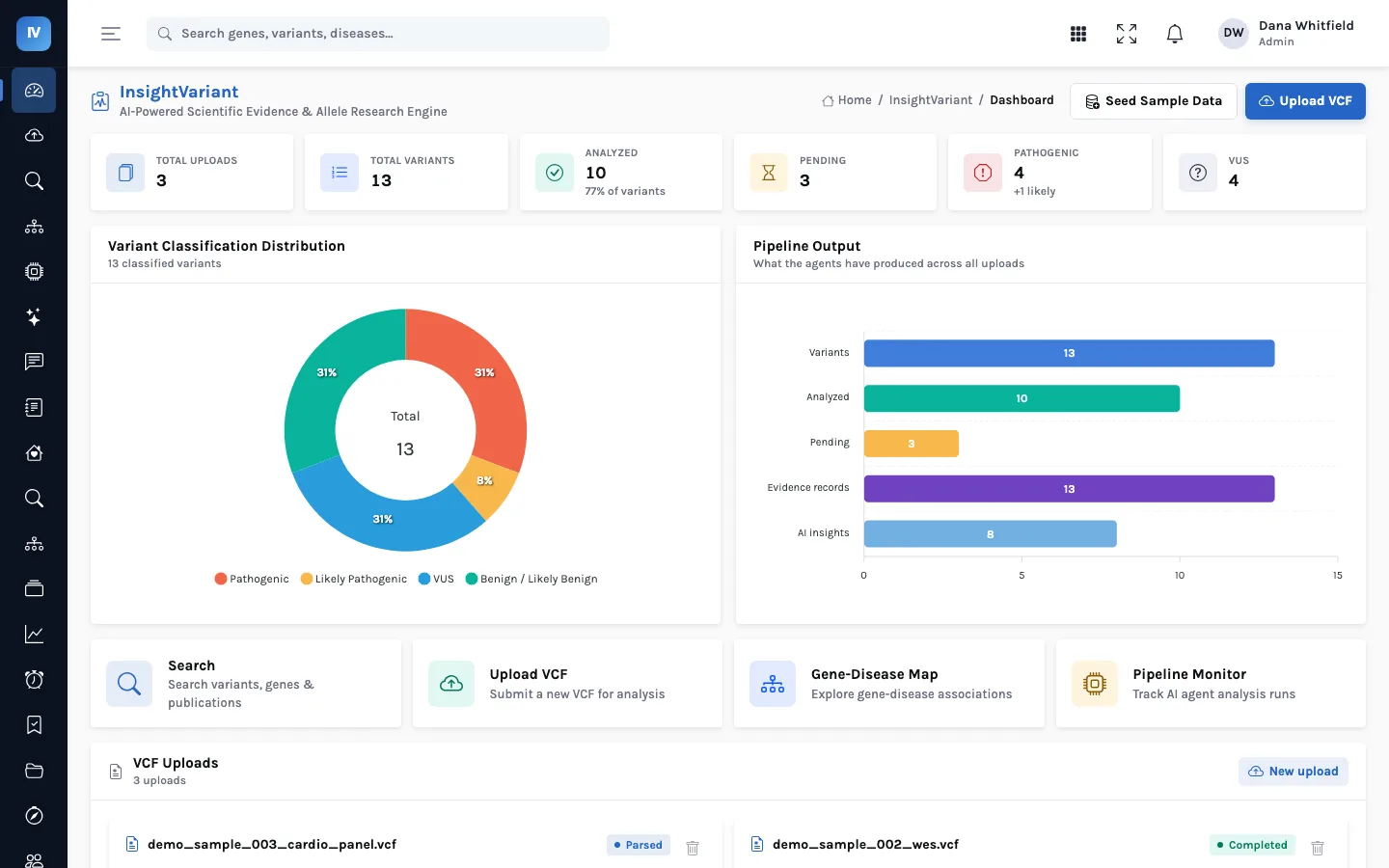
A worked example with a fictional lab and a fictional demo sample. The six variants are well-known public BRCA1 and BRCA2 variants, used here because their classifications in public databases are well established. The point is the workflow, not the variants.
Research use only
This is a research curation workflow. It is not a clinical test, a diagnosis or advice about any person. The sample is fictional.
In short
- Start from the upload's variant table, filtered and sorted by classification and impact.
- Triage by how settled the evidence is: uncertain significance first, then pathogenic, then benign.
- Use the Insight Explorer to check each variant's criteria against its evidence and annotations.
- Leave a trail: every evidence record keeps its source, so the next reviewer can see why.
The situation
The Lindqvist Lab's hereditary cancer panel
The fictional Lindqvist Lab runs a research study on hereditary cancer genes. A research analyst, Aino, has a demo sample's BRCA1/BRCA2 panel loaded in InsightVariant: six variants, with phenotype terms recorded on the upload for prioritisation. Her task is to review the classifications before the study's monthly review meeting.
1. The upload's variant table
The upload page shows the sample ID, reference genome, variant and phenotype counts and the upload date, then the variants: gene, chromosome and position, reference and alternate alleles, rsID, HGVS, consequence with its impact, classification, gnomAD allele frequency and analysis status. Filters narrow by chromosome, gene, classification, impact and analysis status. Below the table are the upload's phenotype terms and its analysis runs.
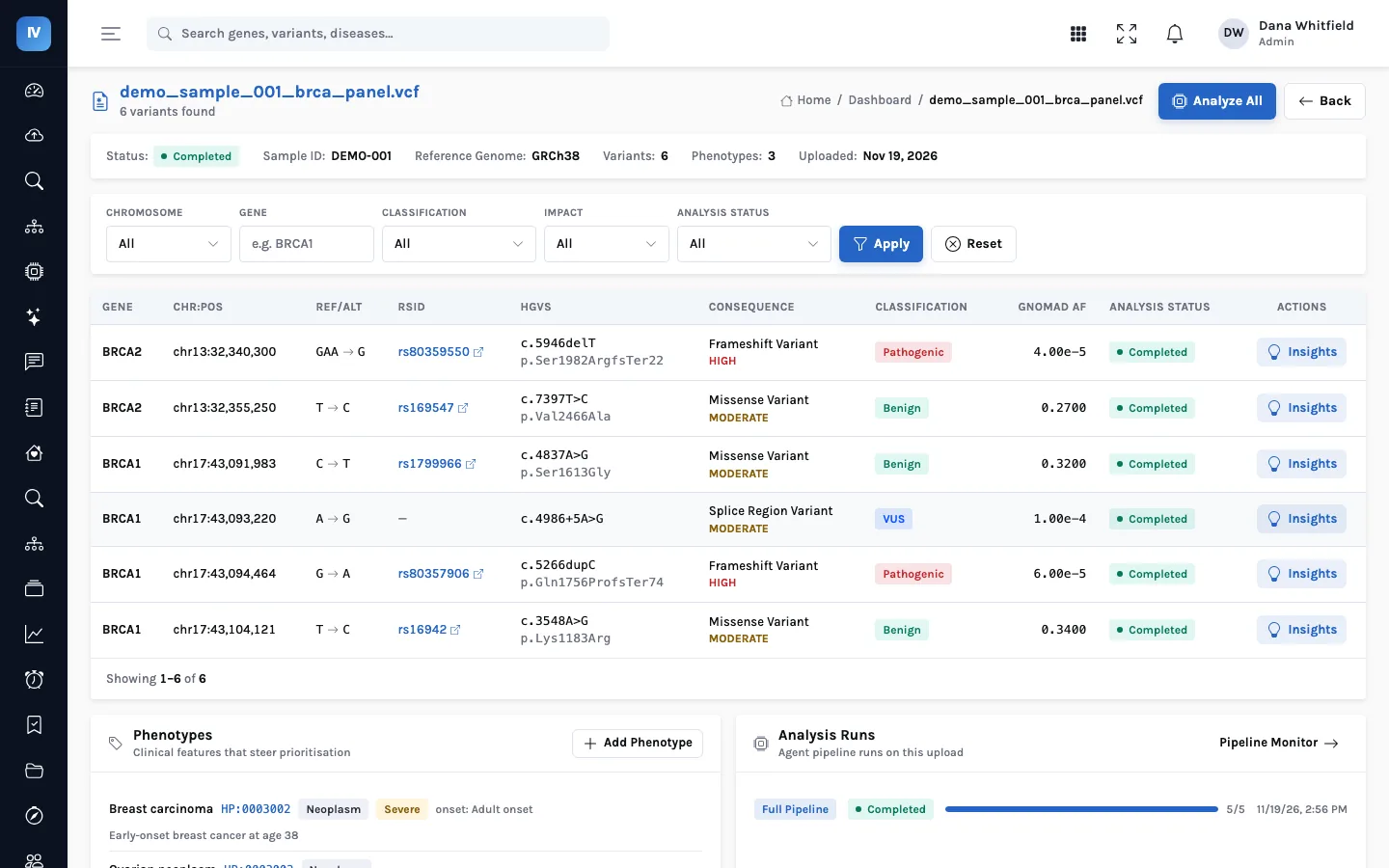
Before reading any variant, Aino checks the upload itself. The reference genome must match the build the positions were called against, or every coordinate comparison with a public database will be off. The phenotype terms (each with its HPO ID, and where recorded its onset, severity, or a mark that the feature was looked for and excluded) tell her which findings matter for this sample's question. If a term is missing she adds it on the upload's page before she starts.
2. Triage
Aino doesn't review in table order. The variant of uncertain significance gets the most time, because the question there is what evidence would move it, and whether any has appeared. The two pathogenic variants need their criteria confirmed and their sources checked as current. The three benign variants have high population frequencies in the table, which is quick to confirm.
3. One variant at a time
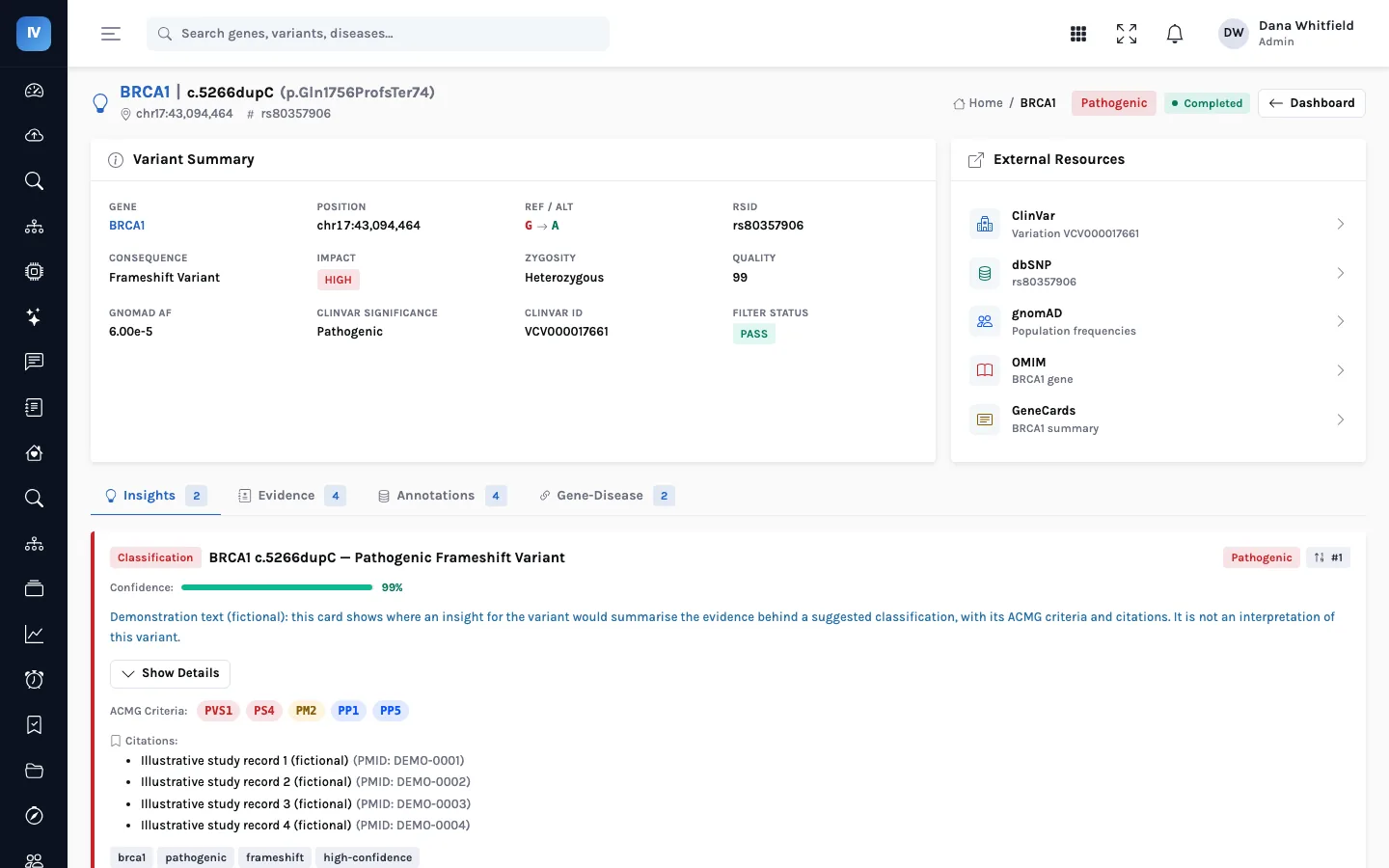
For each variant she opens the Insight Explorer from Insights in the table. She reads the top insight's suggested classification and the ACMG/AMP criteria it applied, then the evidence tab to check each criterion has a record behind it, then the annotations for ClinVar's review status. The external resources panel takes her to the ClinVar record to confirm it hasn't changed.
What she checks, by kind of call
| Call | What to confirm | Where in InsightVariant |
|---|---|---|
| Pathogenic, loss of function | The consequence really is a null variant (frameshift, nonsense, canonical splice) in a gene where loss of function is the disease mechanism | Consequence and impact on the variant; Gene-Disease tab; the insight's criteria badges |
| Pathogenic, other evidence | Each criterion has an evidence record of the right study type and strength | Evidence tab, one card per study |
| Uncertain significance | What is missing, and whether any new record has been loaded since the last review | Evidence tab and its count; the insight's citations |
| Benign by frequency | The population frequency is too high for the disorder, in a relevant population | gnomAD allele frequency on the variant; gnomAD annotation with its population |
4. Questions for the meeting
- 1Uncertain variantanalyst
List the evidence that is missing (for example a functional study or segregation data) and any new literature since the last review.
- 2Pathogenic variantsanalyst
Confirm the criteria are each supported by a record, and the database classifications are unchanged.
- 3Benign variantsanalyst
Confirm population frequency and note nothing new.
- 4Reviewlab lead
The study's reviewers discuss the uncertain variant and agree whether anything changes.
When the databases disagree
Sometimes a variant's ClinVar annotation and the lab's own evidence point different ways, or ClinVar itself holds conflicting submissions. The annotation's review status shows how settled the public record is, from a single submitter to an expert panel. Aino records the disagreement against the variant and brings it to the review rather than resolving it alone: a research classification that departs from the public record needs its reasons written down, with the evidence records that support them.
Recording the outcome
InsightVariant has no editing controls on the variant pages in the current release, so the meeting's conclusions go into the study's own minutes, with a link to each variant's Insight Explorer page. Where the conclusion changes a record (a new evidence record, a revised insight), the change is made in the data the lab loads, and the next load brings the screens up to date.
Aino's checklist
- Reference genome and phenotype terms on the upload are right.
- Every variant has been opened at least once, in triage order.
- Every criterion on every insight has an evidence record behind it.
- ClinVar status was checked at the source, not just in the stored annotation.
- Disagreements are written down with the records that support each side.
Questions labs ask
Can we see the same gene across samples?
Yes. Search for the gene, and the variant results come from every upload, each with its classification and evidence count.
Can we share a variant with a colleague?
Each Insight Explorer page and each search has its own address, so a link opens the same view for a colleague signed in to the same workspace.
What the structure buys
The meeting discusses specific records and criteria rather than recollections. A year later, when the uncertain variant comes up again, the reasons for its classification are still attached to it, with their sources.
Research use only. InsightVariant does not provide clinical diagnoses or medical advice. The variants shown are well-known public variants (as listed in ClinVar) attached to fictional demo samples; literature records and insight text in the screenshots are fictional placeholders. Variant classification for patient care must be done by qualified professionals under applicable guidelines.