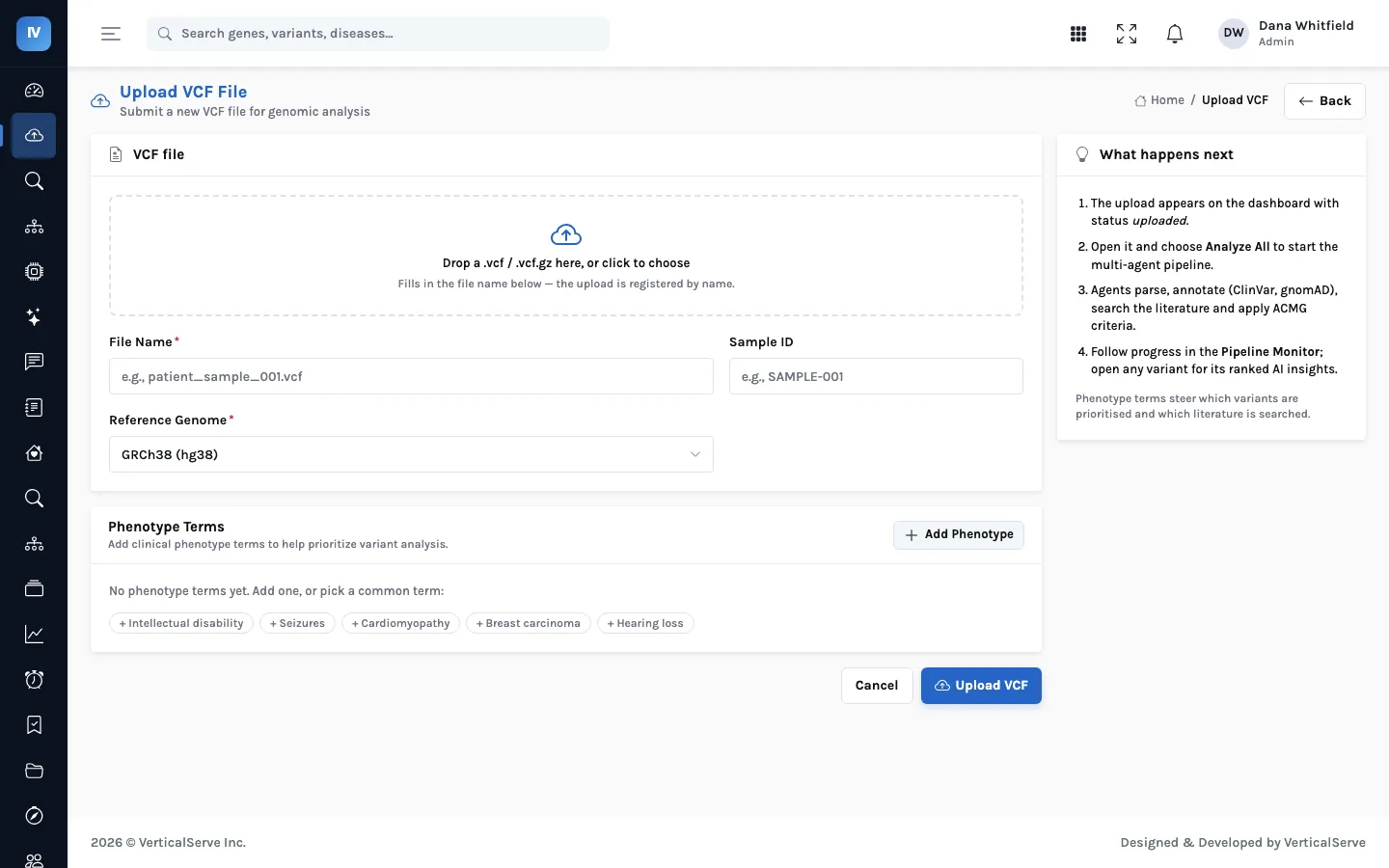
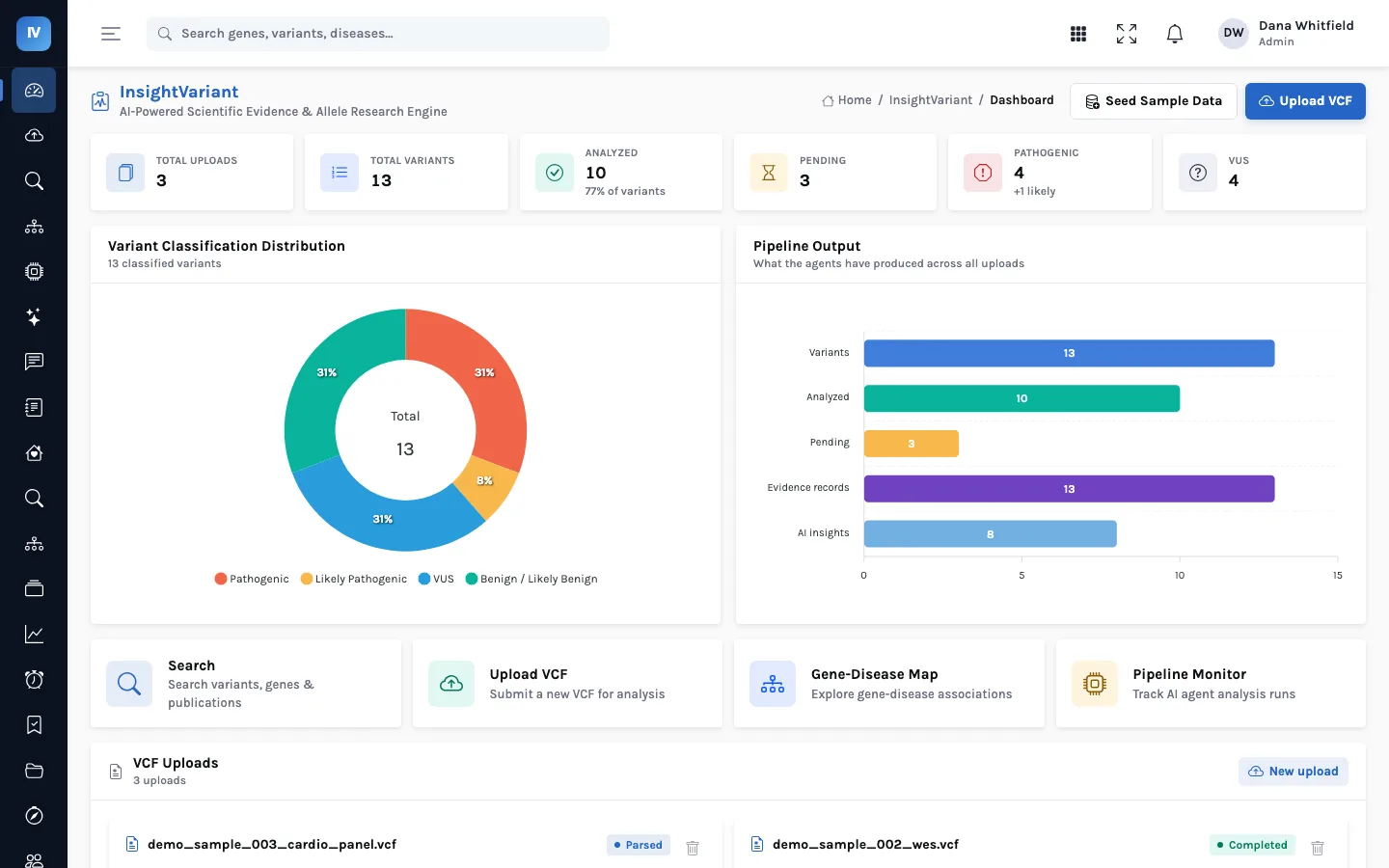
Before a research team curates variants, it has to decide which genes matter for its question. InsightVariant's gene-disease map holds reference associations between genes and diseases, with how each is inherited, where the association comes from and how strong it is. This example follows a made-up team scoping a carrier-screening research project.
In short
- The gene-disease map lists associations with disease ID, inheritance, source and strength, filterable by each.
- Search covers genes, variants, diseases and publications in one box, with results grouped by type.
- Each gene links out to OMIM, GeneCards, NCBI Gene and UniProt for the primary record.
- The demo data holds a small curated set of associations; a team would load or curate its own reference set.
The situation
Scoping a recessive-condition gene list at Norrland Bio
Norrland Bio (fictional) is designing a research study on carrier frequencies for recessive conditions. Its lead scientist, Freya, wants a first list of candidate genes with autosomal recessive inheritance and a definitive or strong association, and the sources behind each, before the team commits curation time.
1. Filter the map
The Gene-Disease Map opens with filters for gene symbol, disease name, inheritance and source. Freya sets inheritance to autosomal recessive and reads down the strength column, keeping associations marked definitive or strong.
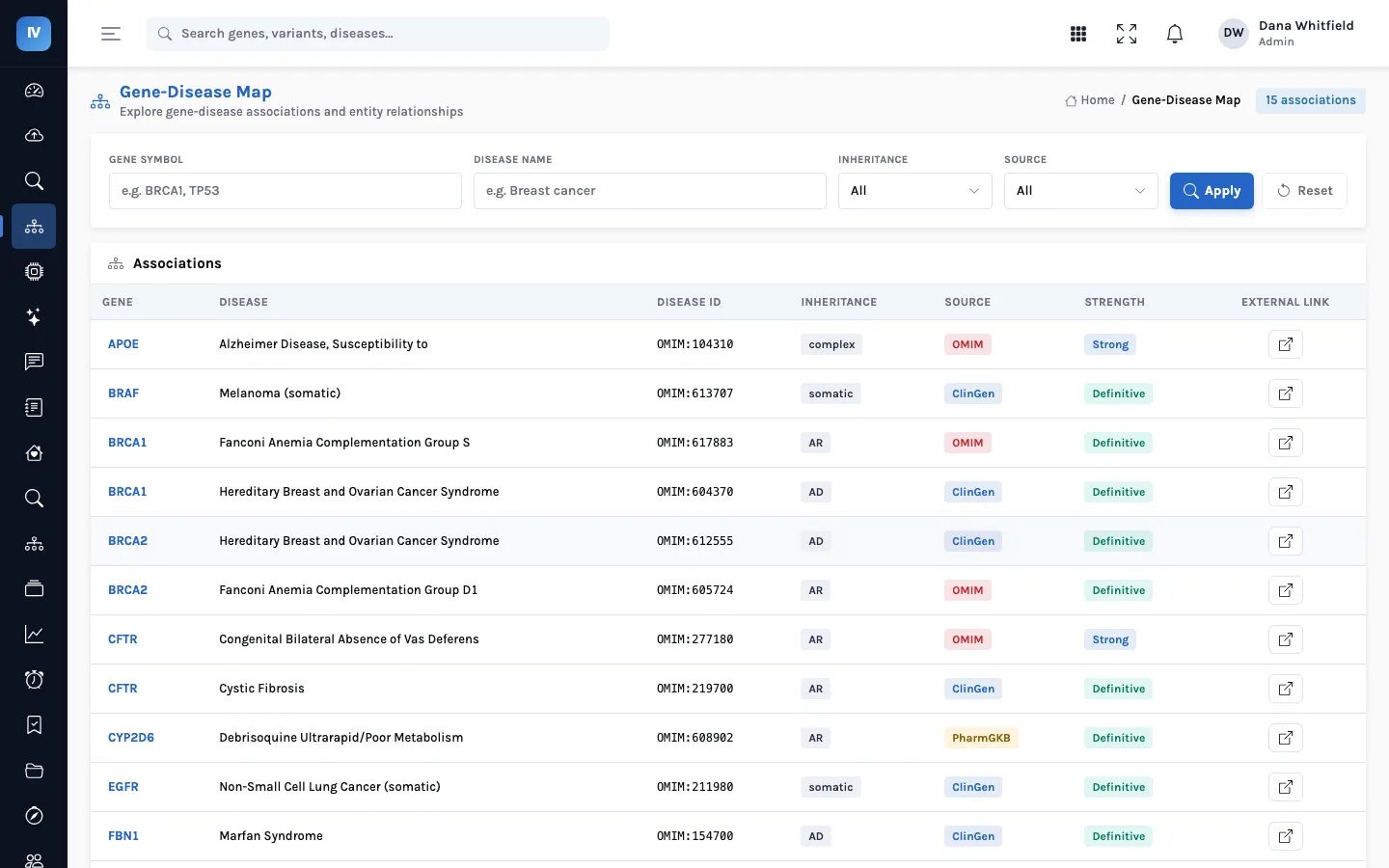
The filters behave differently, which is worth knowing. Gene symbol and disease name match any part of the text, so “CF” finds CFTR and more besides. Inheritance and source are exact choices from a list: autosomal dominant (AD), autosomal recessive (AR), X-linked, mitochondrial, multifactorial or somatic for inheritance; OMIM, ClinGen, Orphanet, HPO or PharmGKB for source. In the demo reference set the associations come from ClinGen, OMIM and PharmGKB.
2. Check the sources
For each candidate, the source column says where the association comes from, and clicking the gene opens a side panel with links to OMIM, GeneCards, NCBI Gene and UniProt. Freya opens the primary record for any association she intends to rely on, rather than the summary.
3. Search across everything
For a gene she knows well she uses Search instead. One query returns variants (with their HGVS, position, classification and evidence count), gene-disease associations and publications, grouped by type, with filter pills to narrow to one.
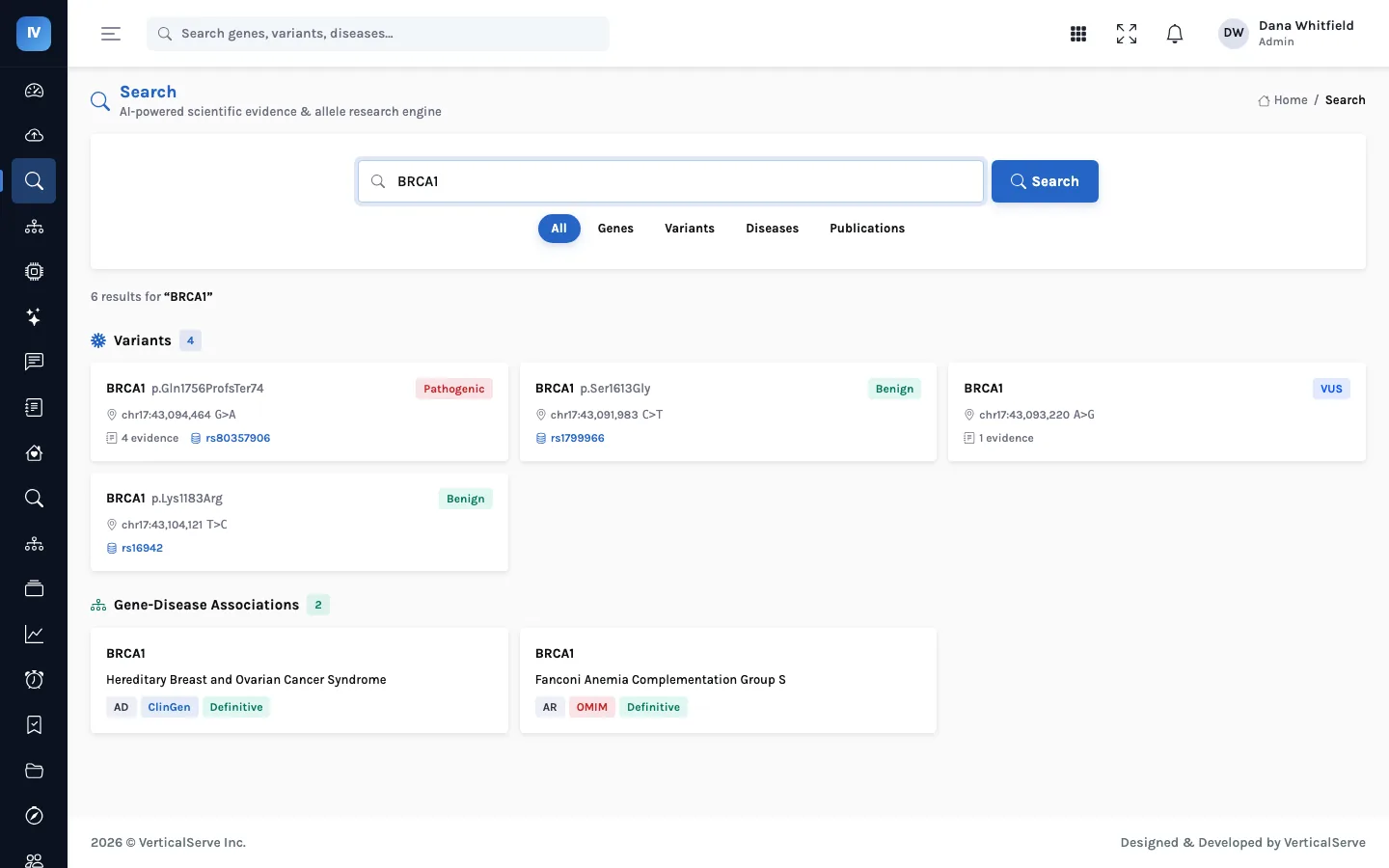
Search matches part of a gene symbol, rsID, HGVS notation or ClinVar significance for variants; gene, disease name or disease ID for associations; and title, journal, PubMed ID or authors for publications. It returns up to twenty results of each kind, and the query sits in the page address, so a search can be sent to a colleague as a link. A gene name found in the Insight Explorer or in search opens the map with that gene already filtered.
4. The shortlist
| Keep when | Look harder when | Drop when |
|---|---|---|
| Recessive inheritance, definitive or strong, a primary source | Strength is moderate or limited, or sources disagree | The association doesn't match the study question (for example somatic only) |
The result is a shortlist with a reason and a source for every gene on it, which is what the team's study protocol needs, and the starting point for curating the variants in those genes.
Why inheritance and strength first
For a carrier-frequency question the inheritance pattern decides relevance before anything else: an autosomal recessive condition is what carrier status refers to, while dominant and somatic associations answer different questions. Strength comes next because curation time is limited. A definitive association is worth curating variants for; a limited one may be worth watching but not yet building a study around. Recording both on every association means the shortlist can be explained to a reviewer in one table, and changed in one place when an expert group revises an association.
The same filters work the other way round. Filtering by disease name shows every gene associated with a condition and how strongly, which is useful when the study starts from a phenotype rather than a gene. Filtering by source helps when a protocol requires associations from a particular curation body.
Building the list, step by step
- 1Set the questionlead scientist
Write down the inheritance pattern and the strength the protocol requires before filtering, so the filter follows the protocol and not the other way round.
- 2Filter and copy outresearch analyst
Apply the filters and copy the matching genes, with disease, disease ID, source and strength, into the protocol's working list.
- 3Open every primary recordresearch analyst
For each gene kept, read the OMIM or ClinGen entry it points to and note its current status and date.
- 4Mark the edge caseslead scientist
Moderate or limited associations, and genes with both recessive and dominant conditions, get a note saying why they are in or out.
- 5Freeze and date itlead scientist
Record the date the list was fixed, so a later revision of an association can be traced to a change in the list.
Breadth or depth
A long list catches more carrier states but spreads curation thin; a short list of definitive genes is curated well but may miss conditions the study cares about. Freya starts narrow, with definitive and strong associations only, and keeps a second list of moderate ones to revisit once the first round of curation shows how much time each gene takes.
Questions teams ask
Can we load a full curated set, such as ClinGen's?
The map holds whatever associations are loaded, with the same fields for each. Loading a larger reference set is a data task to plan; the demo set is deliberately small.
Are associations kept in sync with the sources?
No. They are stored as loaded, with a link to the source where one was recorded. Check the primary record before relying on an association, and reload when the source changes.
Limits
- The reference set is what you load. The demo data holds a small curated set; a research team would load or curate the associations relevant to its question.
- Associations change. Gene-disease validity is re-evaluated by expert groups over time; check the primary source's current status.
Research use only
Gene-disease associations in InsightVariant support research scoping. They are not a clinical gene panel design or a statement about any individual.
Research use only. InsightVariant does not provide clinical diagnoses or medical advice. The variants shown are well-known public variants (as listed in ClinVar) attached to fictional demo samples; literature records and insight text in the screenshots are fictional placeholders. Variant classification for patient care must be done by qualified professionals under applicable guidelines.