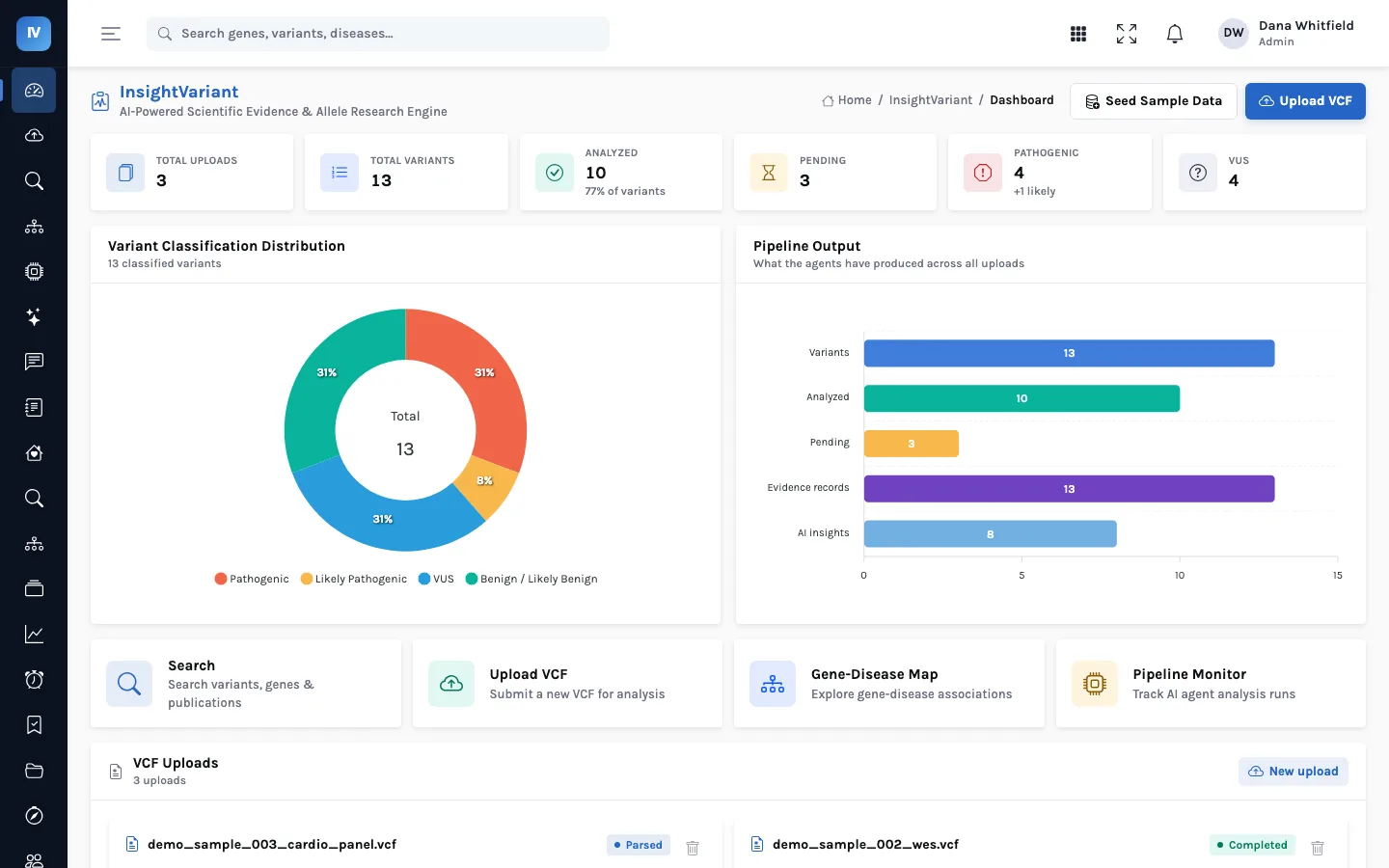
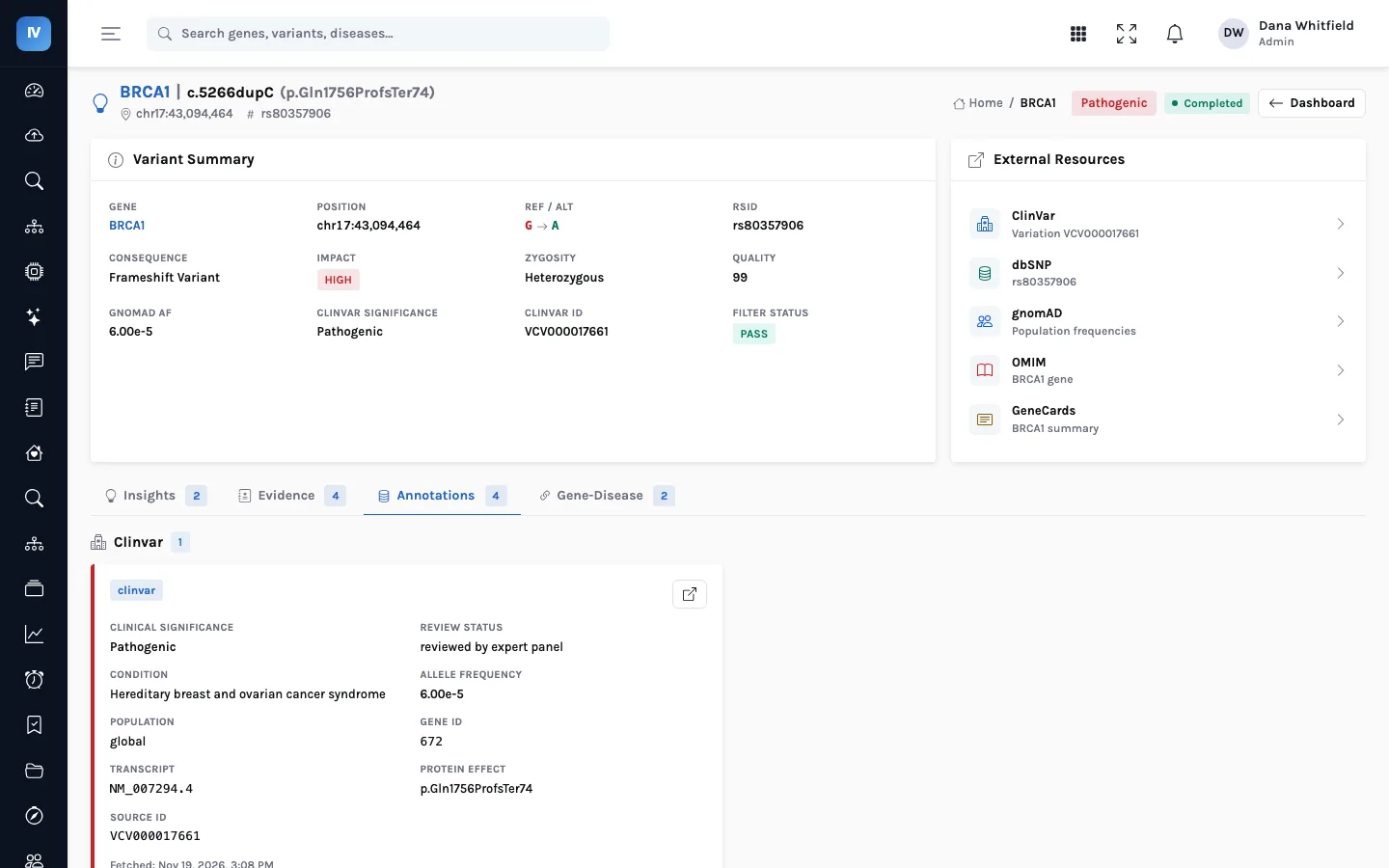
The Insight Explorer is the page a reviewer spends most time on: everything InsightVariant holds about one variant, in one place. This article goes through it from top to bottom, using a well-known public BRCA1 variant on a fictional demo sample.
In short
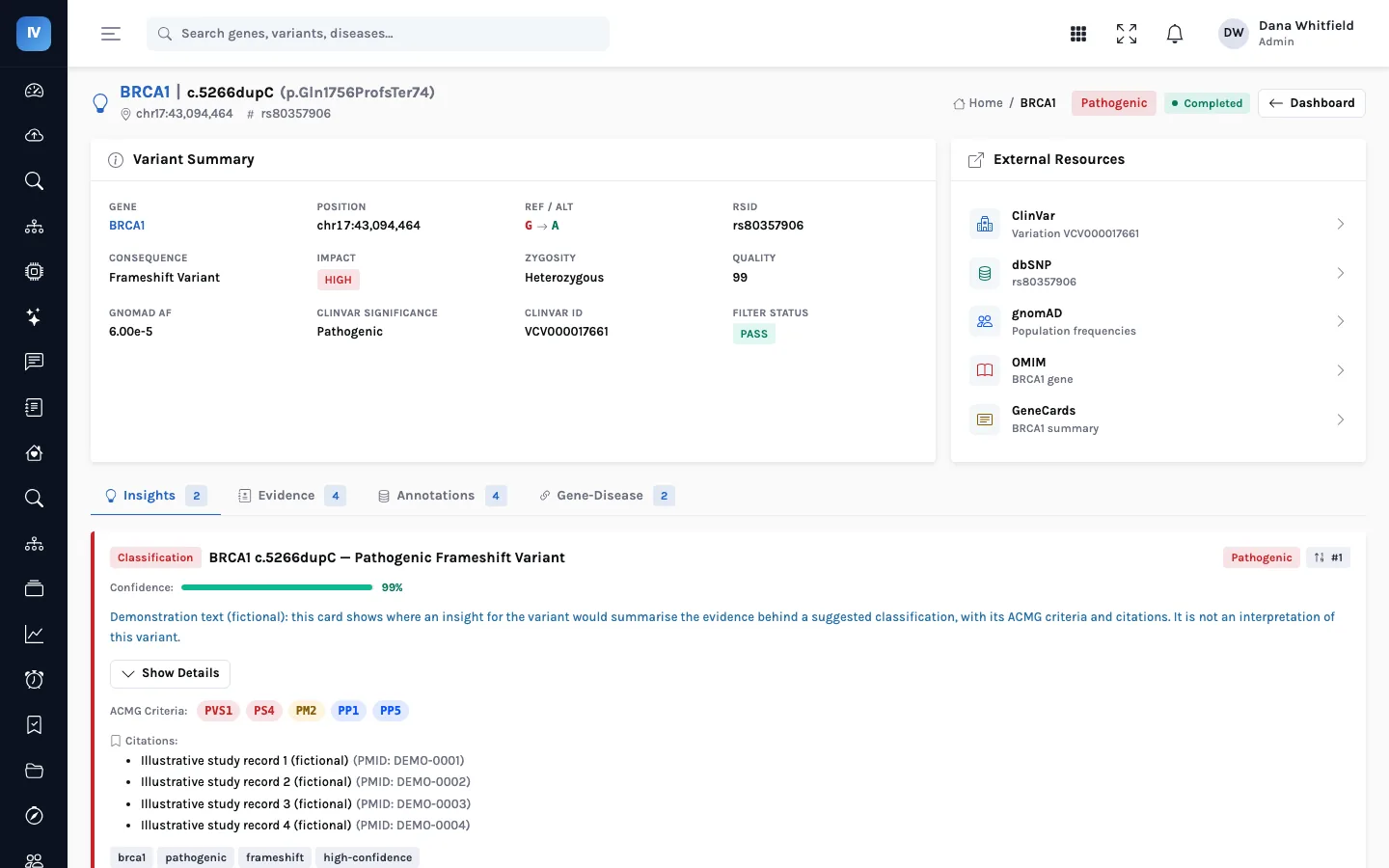
- The header gives the gene, the HGVS coding and protein change, the genomic position, the rsID, the classification and the analysis status.
- The variant summary holds the variant's own fields; external resources link to ClinVar, dbSNP, gnomAD, OMIM and GeneCards.
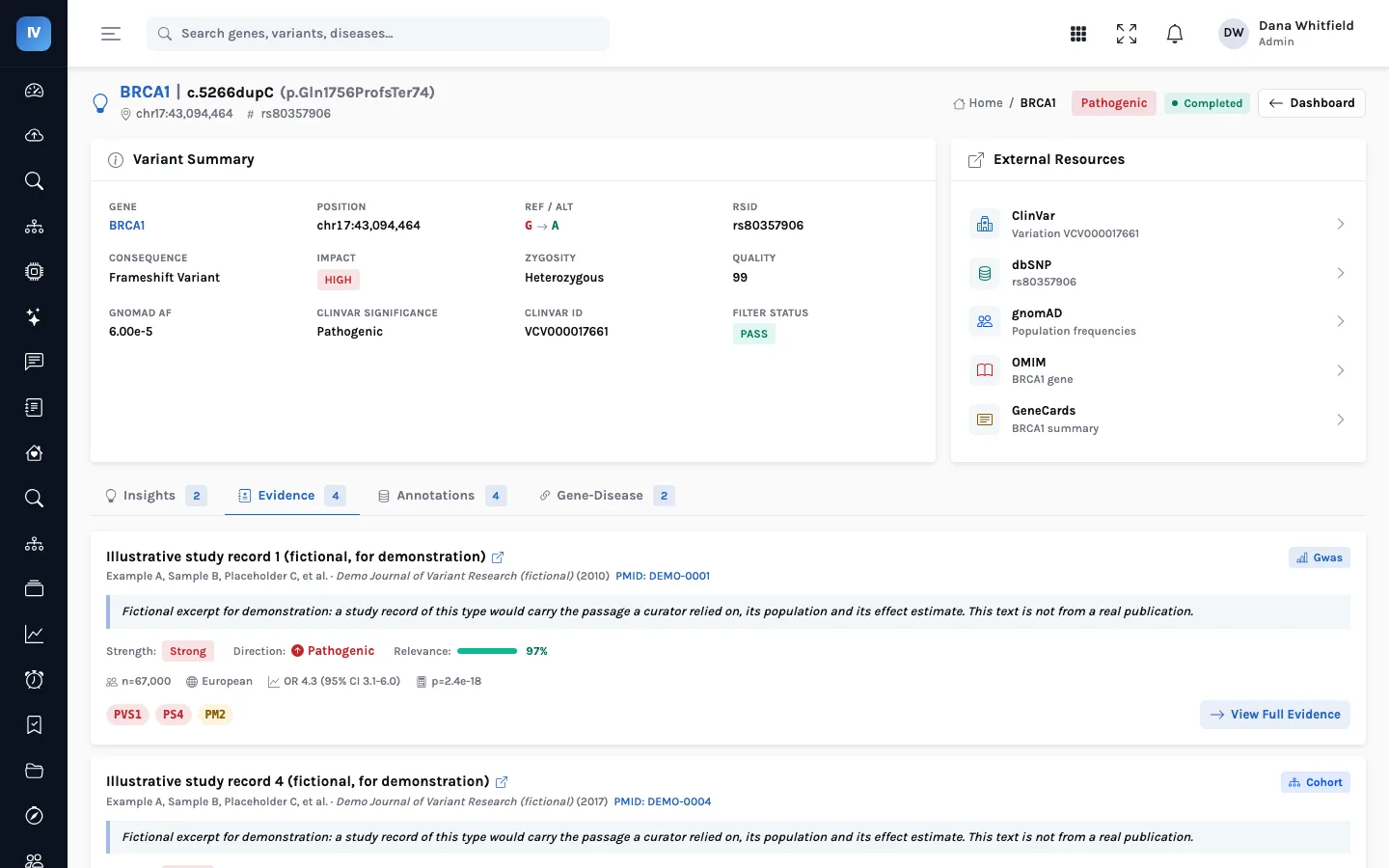
- Four tabs: insights, evidence, annotations and gene-disease, each with a count.
- Everything links: an evidence card opens its full record, the gene opens its associations.
The variant summary
The header reads like the variant's name: gene, coding change and protein change, then the genomic position and rsID, with the current classification and analysis status as badges. Below, the summary card lists the fields stored on the variant: gene, position, reference and alternate alleles, rsID, consequence, impact, zygosity, call quality, gnomAD allele frequency, ClinVar significance, ClinVar ID and filter status.
External resources
The panel on the right builds links from the variant's identifiers: the ClinVar variation record, dbSNP for the rsID, gnomAD for population frequencies, OMIM and GeneCards for the gene. Reviewers can check the primary sources directly rather than trusting a copy.
Insights
Each insight card shows its type (classification, functional, population and others), its rank, a confidence bar, the suggested classification, a summary that expands to detail, the ACMG/AMP criteria it applied as badges, its citations and tags. Insights are ranked, so the first card is the one to read first.
Evidence
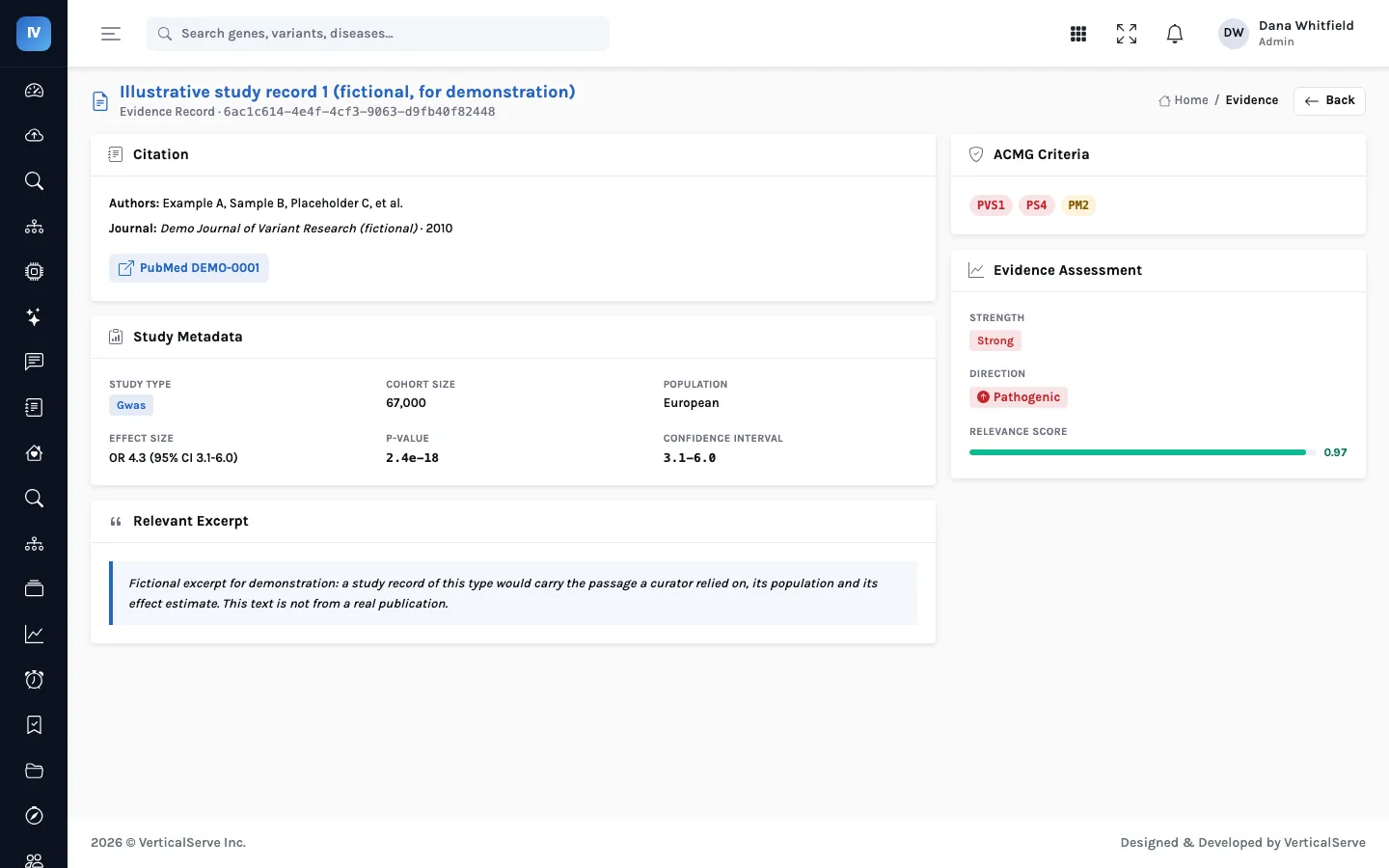
The evidence tab shows one card per study rather than a table: the title with a link to the publication, the authors, journal and year, the relevant excerpt as a quotation, the ACMG/AMP criteria it supports, and indicators for strength, direction and relevance, with the cohort size, population and effect estimate. View Full Evidence opens the record.
Annotations
Annotations are grouped by their source (ClinVar, gnomAD, OMIM, Ensembl) in source-coloured cards. A ClinVar annotation, for example, carries the clinical significance, the review status, the condition, the allele frequency, the population, the gene ID, the transcript, the protein effect, the source ID and when it was fetched.
Gene-Disease
The last tab lists the gene's associations from the gene-disease reference data, with inheritance, source and strength. The gene-disease example uses the full map.
When a tab is empty
Empty tabs say so in words: no insights generated yet, no evidence items found, no annotations, no gene-disease associations. The empty insights tab invites you to run the analysis pipeline on the variant's upload; once the agents have run, the tab fills with ranked insight cards.
An empty tab is still information. A variant with annotations but no evidence records has its database entries but no literature found against it. A variant with evidence but no insight has sources that have not been summarised into a suggested classification. Both are review states worth knowing.
Reading order for a reviewer
- 1Header and summary
Confirm you are looking at the right variant: gene, HGVS, position and rsID, with the reference genome shown on the upload's page. A wrong transcript or build makes everything below misleading.
- 2Top insight
Insights are sorted by rank. Read the suggested classification, its confidence and the criteria badges it applied.
- 3Evidence
For each criterion, find the record behind it and check its study type, strength and direction match the use made of it.
- 4Annotations
Compare the ClinVar card's significance and review status with the insight, and check gnomAD's frequency and population against frequency-based criteria.
- 5Primary sources
Follow the external links (or each annotation's Open in source link) to confirm the public record has not moved since the annotation was fetched.
Moving around
The Insight Explorer is reached from the variant table of an upload (the Insights action on each row), from search results, and from the dashboard through an upload. The gene symbol in the header links to the gene's associations, and the Dashboard button returns to the overview. Because every tab shows a count, a reviewer can see at a glance whether a variant has, say, four evidence records and two insights, or annotations but no literature yet, which is often the first thing to know about an uncertain variant.
Questions reviewers ask
Can I change the classification from this page?
The Insight Explorer is the review screen: the suggested classification, its criteria and the evidence sit side by side. The suggestion is the agents’; the decision is the curator’s, who can override it at any step, and the outcome of a review is recorded in the study's own process.
Where does the confidence score come from?
It is a field on the insight record, set by the Evidence Synthesis agent when it suggests a classification. Read it as the agent's confidence in its suggestion, not as a measured accuracy.
Why does each annotation show when it was fetched?
Because public databases change. A ClinVar significance or a gnomAD frequency is true as of the date it was retrieved; the fetch date tells a reviewer how old the copy is, and the source link shows the record as it stands today. A gap between the two is worth a note in the review.
A second reviewer's ten minutes
At the fictional Lindqvist Lab, a second curator checks a colleague's classification of a variant. She reads the top insight and its criteria, opens the evidence tab to check that each criterion is backed by a study record of the stated strength, compares the ClinVar annotation's review status, and follows the ClinVar link to confirm it is current. Where she disagrees, she takes it to the team's review meeting.
Research use only
Classifications, insights and evidence in InsightVariant support research review. They are not a clinical report, and the demo content in these screenshots is not an interpretation of the variants shown.
Research use only. InsightVariant does not provide clinical diagnoses or medical advice. The variants shown are well-known public variants (as listed in ClinVar) attached to fictional demo samples; literature records and insight text in the screenshots are fictional placeholders. Variant classification for patient care must be done by qualified professionals under applicable guidelines.